

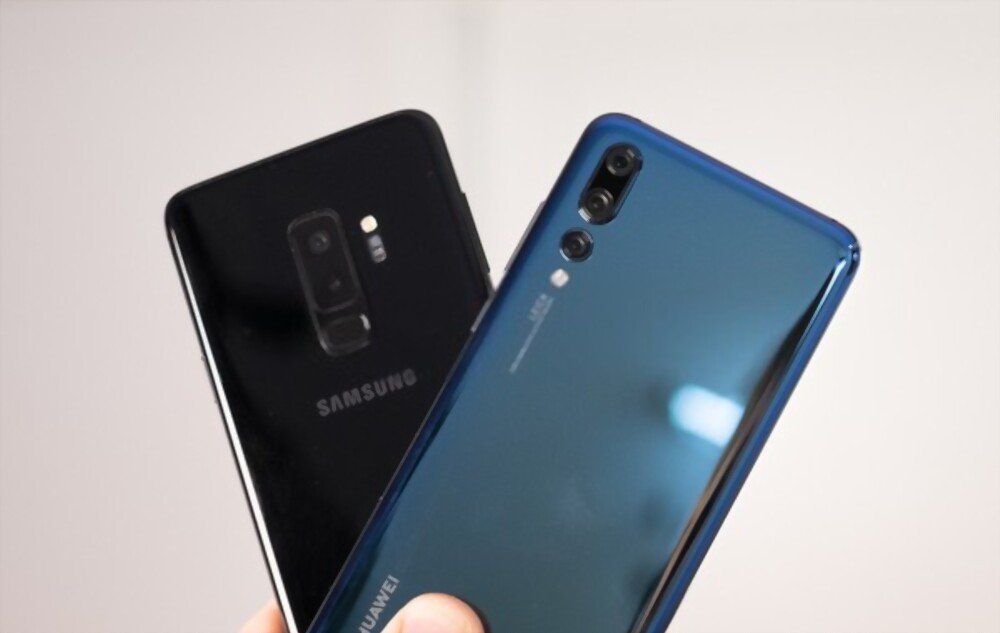
Huawei or Samsung smartphone and often receive a notification that says “ New Tag Added ”? Don't know what it means or how to get rid of it? Don't panic, we'll explain what Tags are, why they appear on your screen, and how to easily disable them.
What is a Tag and why does it appear on your phone?

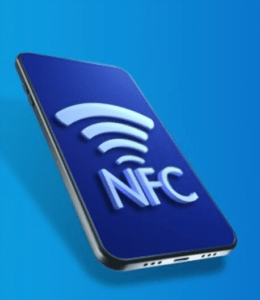
A tag is a small object that contains an ( Near Field Communication chip . NFC is a wireless technology that allows data to be exchanged between two devices close to each other, such as your phone and a bank card, a connected bracelet or a Galaxy SmartTag.

The Galaxy SmartTag is an accessory sold by Samsung that allows you to find your lost items using your phone. Simply attach the SmartTag to your key, bag, or pet and locate it with the SmartThings Find app.
When your phone detects a nearby tag, it displays the notification “New tag added” to inform you that it has recognized an NFC object. This can happen when you place your phone on your wallet, transit card, or any other object containing an NFC chip.
How to remove the “New Tag added” notification on Huawei and Samsung?
If you find this notification annoying or unnecessary, you can easily remove it by disabling NFC on your phone. Here's how:
- On Huawei: go to Settings > System > Phone manager > Customize settings > Remove the "added tag".
- On Samsung: go to Settings > Connections > NFC and payment > Turn off NFC.
By disabling NFC, you will no longer receive the “New Tag added” notification, but you will also no longer be able to use NFC-related features such as contactless payment, file sharing, or locating your SmartTags.
If you want to keep NFC enabled but avoid notifications appearing when you don't need them, you can try these tips:
- Keep your phone away from objects that contain an NFC chip, such as your wallet, transport card, or Galaxy SmartTag.
- Use a protective case for your phone that blocks NFC waves, such as an anti-RFID case.
- Customize your phone's notification settings to hide or minimize NFC notifications.
The advantages and disadvantages of NFC
NFC is a practical and innovative technology that offers several advantages:
- It allows you to pay contactless with your phone, which is faster and more secure than using a bank card or cash.
- It allows you to share files, contacts, photos, or videos with other NFC-enabled devices without needing an internet or Bluetooth connection. Therefore, you won't have to deal with Wi-Fi authentication issues on your Android device .
- It allows you to easily connect your phone to wireless accessories, such as headphones, speakers, or smartwatches.
- It allows you to find your lost items with a Galaxy SmartTag or other similar accessory.

However, NFC also has some drawbacks:
- It drains the battery when it is constantly enabled on your phone.
- It can be the victim of malicious attacks if someone tries to read your personal or banking data remotely with an NFC reader.
- It may be incompatible with some devices or services that do not use the same protocol or frequency as NFC.
FAQ
Here are some frequently asked questions on the subject:
How do I enable or disable NFC on my Huawei or Samsung phone?
To enable or disable NFC on your Huawei or Samsung phone, you can follow these steps:
- Swipe down to open the notification panel and tap the gear icon to access settings.
- Tap Connected devices or More under Wireless and networks (depending on your model).
- Tap NFC and toggle the switch on or off
What is the difference between a Galaxy SmartTag and a Galaxy SmartTag+?
The Galaxy SmartTag+ is an enhanced version of the Galaxy SmartTag that uses Ultra Wide Band (UWB) technology in addition to NFC. UWB allows you to locate your lost items more precisely and quickly using an augmented reality map. The Galaxy SmartTag+ is also more expensive than the Galaxy SmartTag.
How do I reset a Galaxy SmartTag?
To reset a Galaxy SmartTag, press and hold the button on the tag for 5 seconds until it beeps. Then, launch the SmartThings Find app on your phone and follow the instructions to pair the tag with your device again.
How do I turn the sound on or off on the Galaxy SmartTag?
To enable or disable the sound on your Galaxy SmartTag, launch the SmartThings Find app on your phone and select the tag you want to modify. Then, tap the three dots in the top right corner and choose “Settings.” Finally, enable or disable the “Ringtone” option according to your preference.
How do I customize the Galaxy SmartTag button?
To customize the Galaxy SmartTag button, launch the SmartThings Find app on your phone and select the tag you want to modify. Then, tap the three dots in the top right corner and choose “Settings.” Finally, select the “Button” option and choose the action you want to trigger when you press the tag button. For example, you can make your phone ring, take a photo, or turn on a smart light.
How do I delete the “New Tag Added” message on my Huawei or Samsung phone?
If you want to remove the “New Tag Added” message on your Huawei or Samsung phone, you have two options:
- Disable the beep mode in the NFC settings. To do this, access the NFC settings as described above and uncheck the Beep Mode box.
- Completely disable NFC on your phone. To do this, follow the steps above to enable or disable NFC and switch the toggle to OFF
Does NFC consume a lot of battery on my Huawei or Samsung phone?
NFC consumes very little battery on your Huawei or Samsung phone, as it's only active when your phone is near an NFC tag. Therefore, you can leave NFC enabled without worrying about quickly draining your battery. However, if you don't use NFC often, you can disable it to save even more power
Conclusion
The “New Tag Added” notification is an alert that indicates your phone automatically opens apps when it detects an object containing an NFC chip. This can be useful if you use features like contactless payment or locating lost items with a Galaxy SmartTag. However, if you find this notification annoying or unnecessary, you can dismiss it by disabling NFC on your phone or moving your phone away from objects containing NFC chips.


